✨
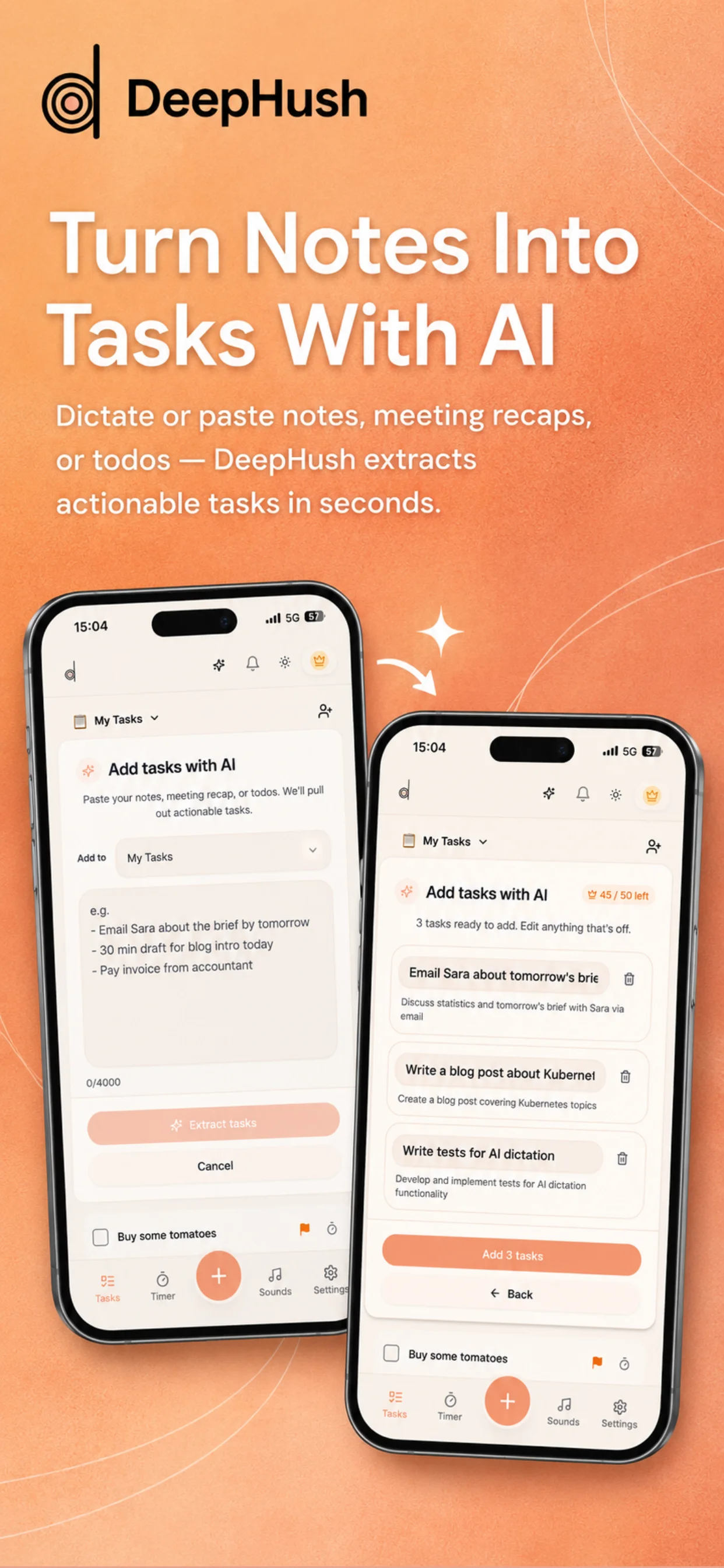
AI Task Extraction
Paste notes, meeting recaps, or dictated thoughts. DeepHush extracts actionable tasks in seconds. Edit anything, then add them all to your list in one tap.
- Paste or dictate
- AI-powered
- Bulk add tasks
Layer ambient sounds to find your focus. Work through tasks with a pomodoro timer. Collaborate on lists with your team and family. One app, zero distractions.
Free to use. No credit card required. Available on iOS & Web.
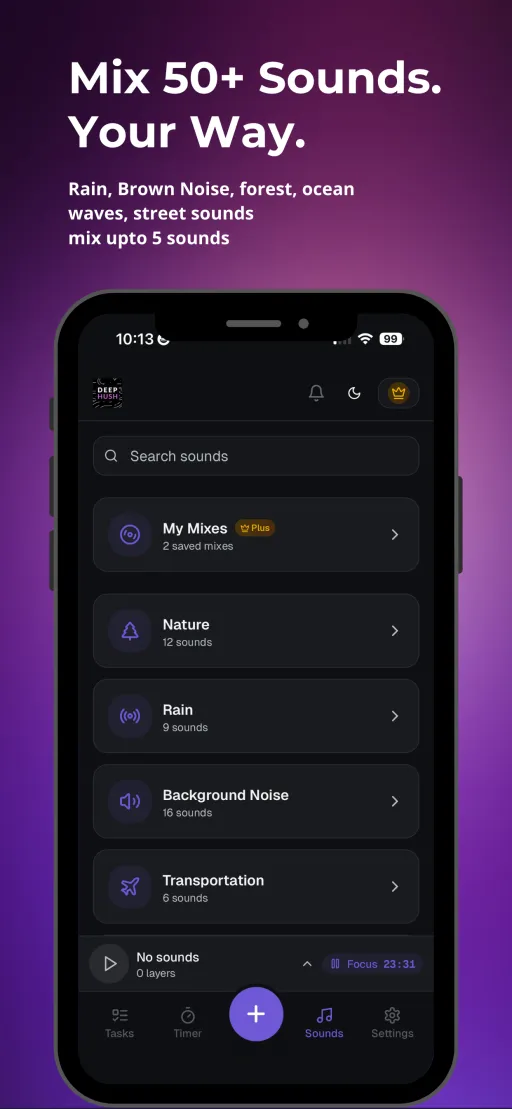
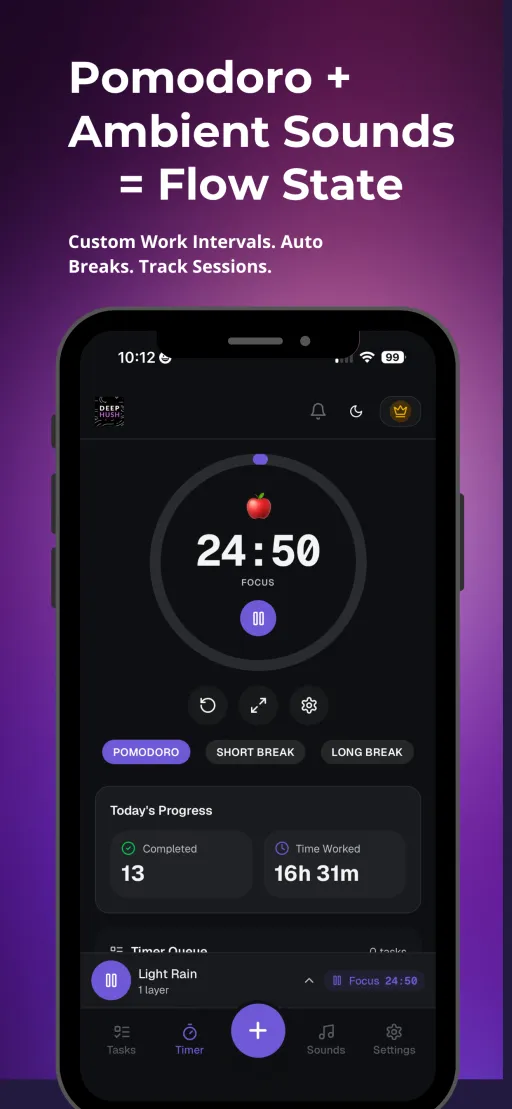
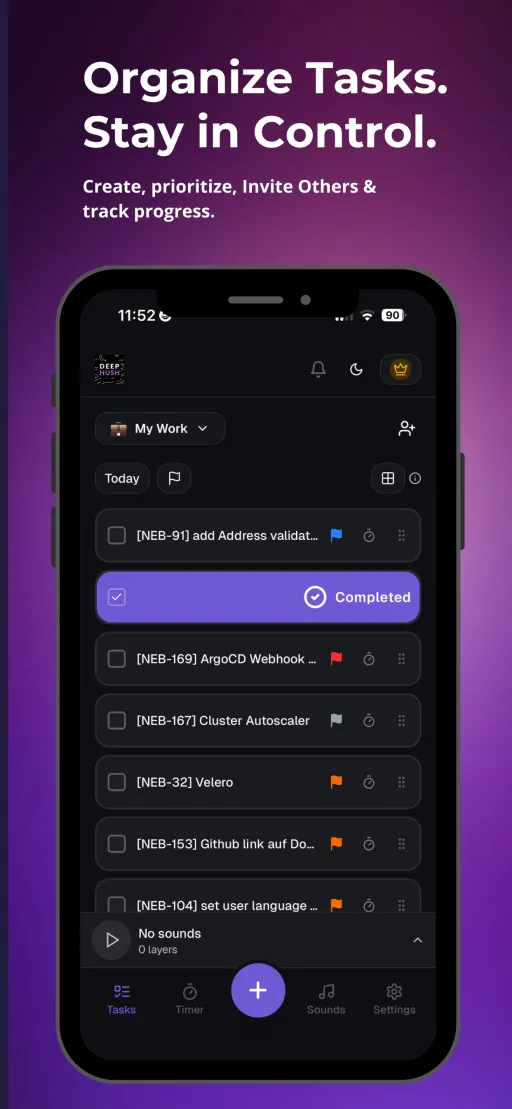
Three tools that work better together. Ambient sounds set the mood. The timer keeps you on track. Shared lists keep everyone aligned.
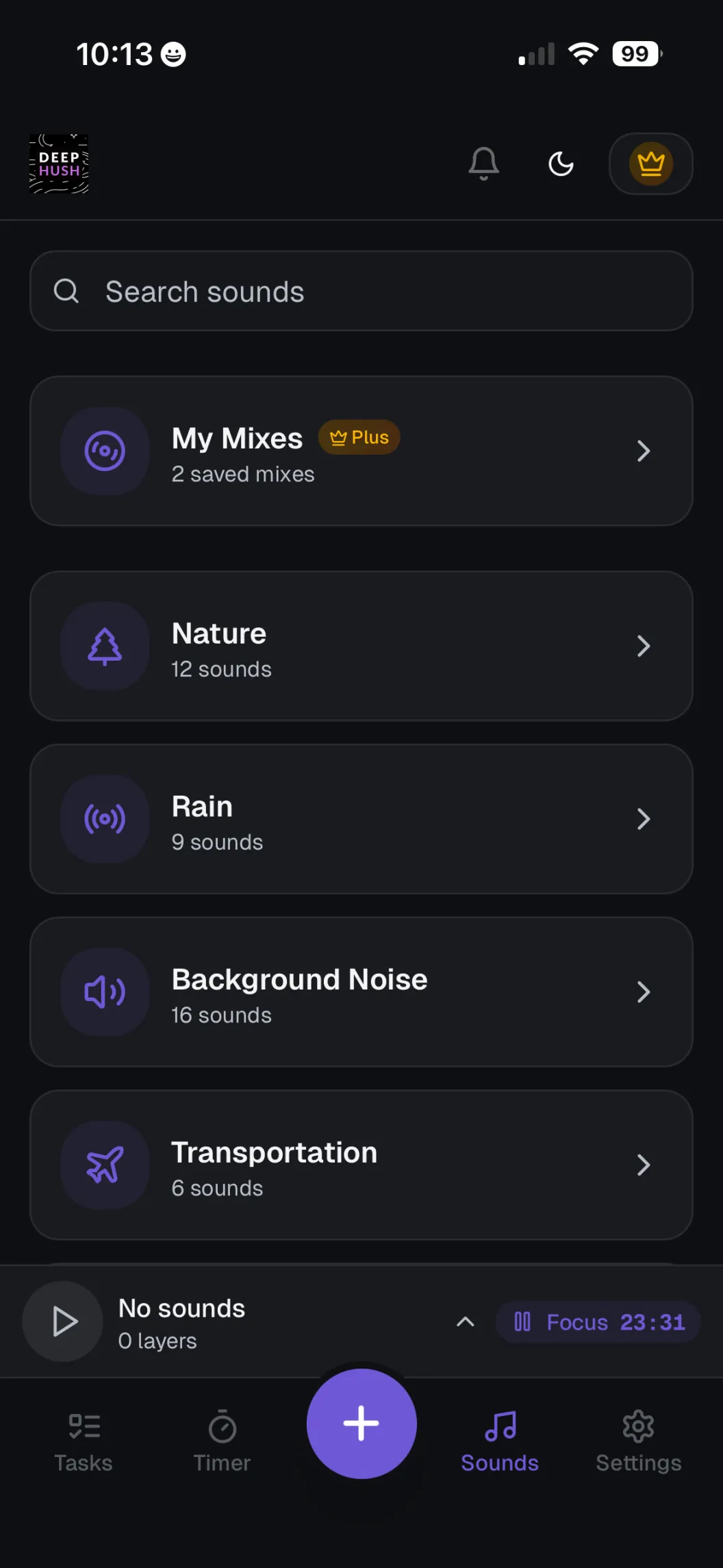
Layer multiple sounds — brown noise, rain, fire, wind, and more. Adjust individual volumes with per-sound equalizers. Save your favorite mixes to your library for instant access.
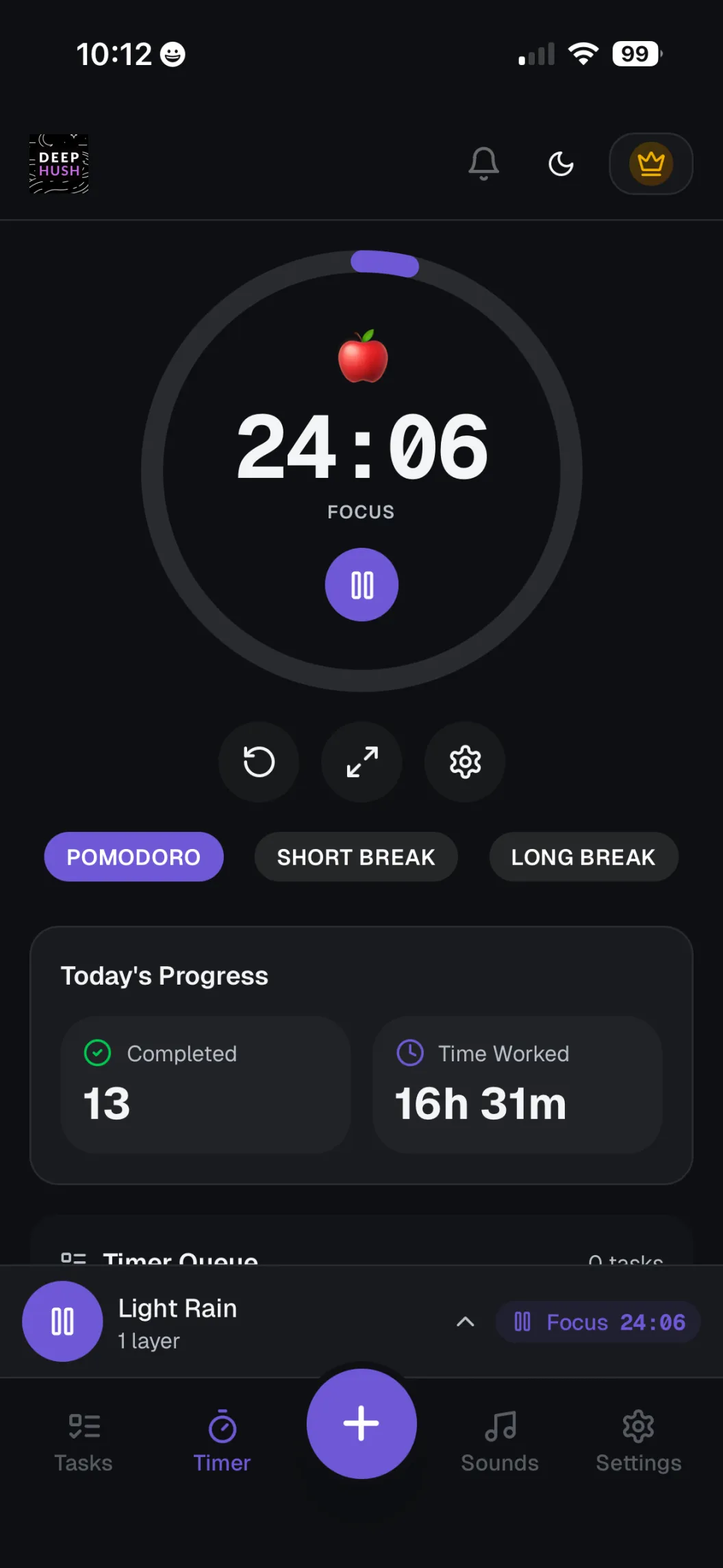
A focus timer attached to your actual tasks. Load your task queue, start the timer, and work through them one by one. Choose between Classic and Momentum modes with configurable work and break durations.
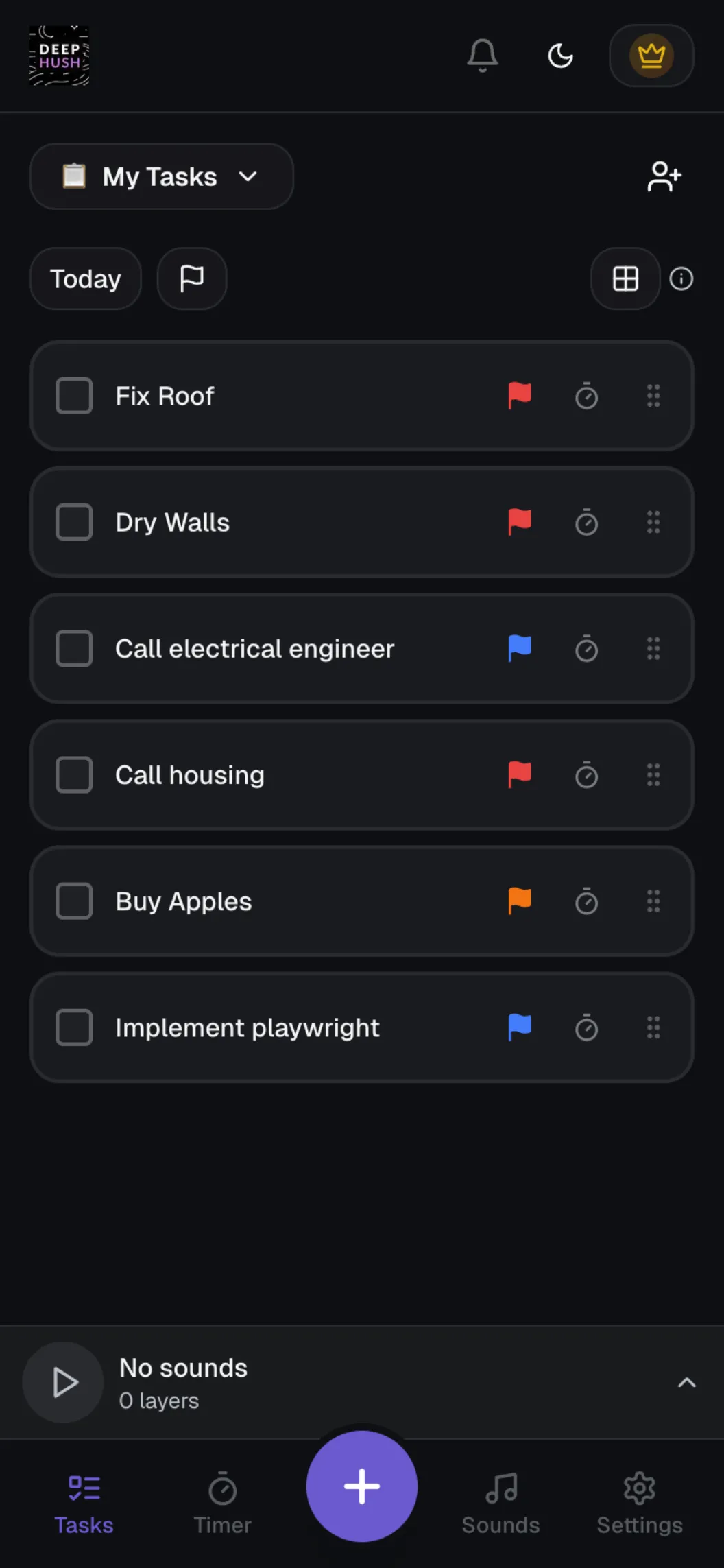
Share lists with your team, co-founder, or family. Everyone can add tasks, mark them complete, and send reminder nudges. No more "did you see my message?"
Paste notes, meeting recaps, or dictated thoughts. DeepHush extracts actionable tasks in seconds. Edit anything, then add them all to your list in one tap.
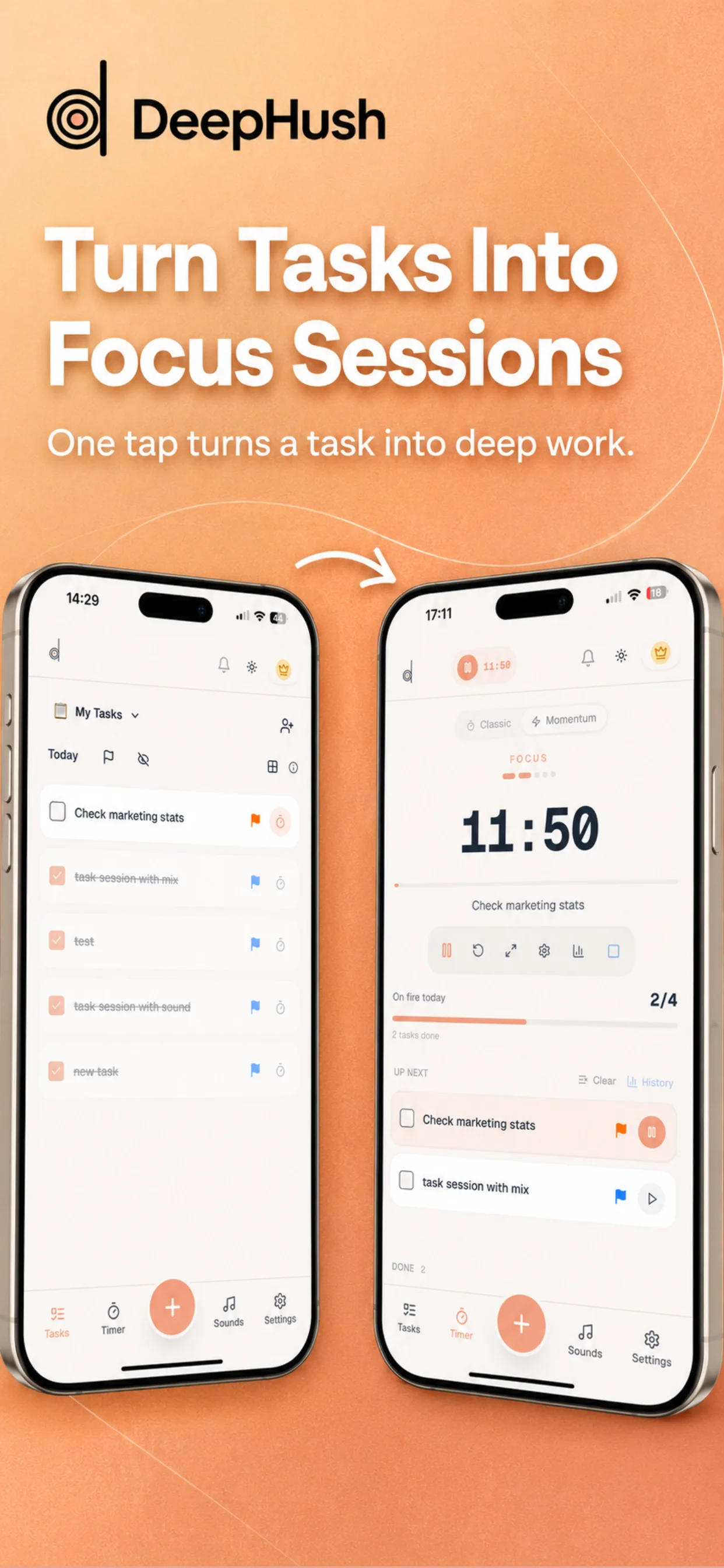
Bridge task management and deep work in one tap. Pick a task from your list and it goes straight into your timer queue. One tap turns a task into deep work.
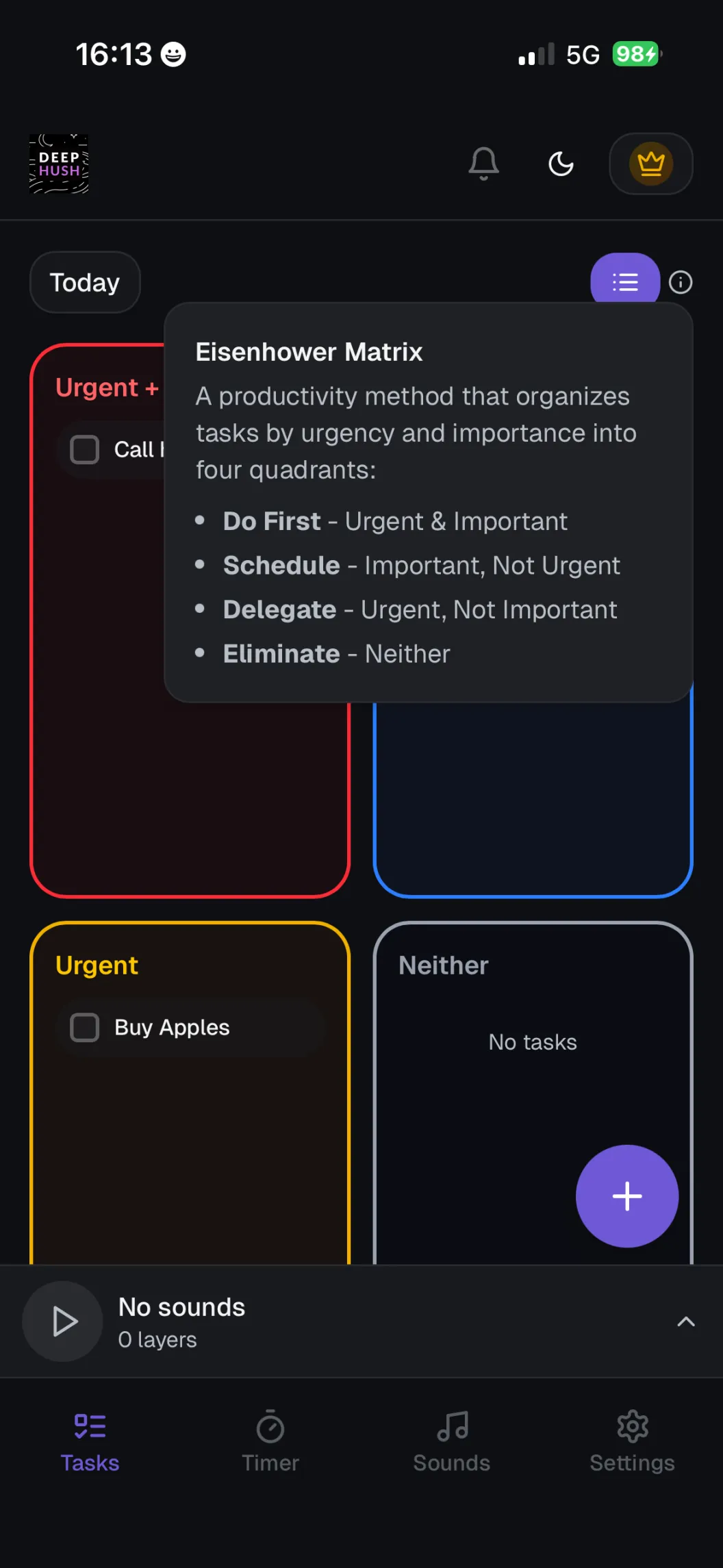
Automatically sort tasks into Urgent+Important, Important, Urgent, and Neither. See what actually matters at a glance.
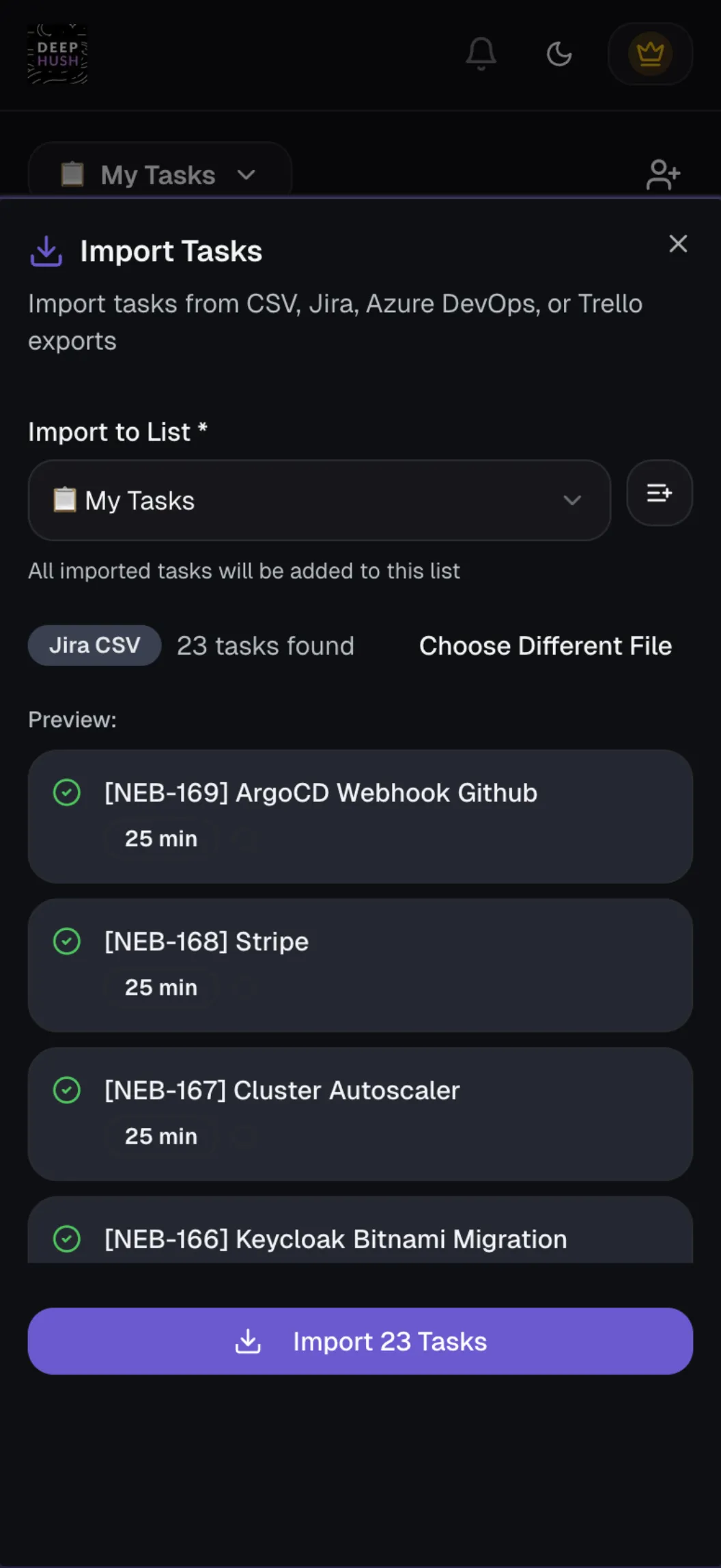
Export tickets from Jira, Azure DevOps, or Trello and import them into DeepHush. Work through your sprint backlog with ambient sounds and focus sessions.
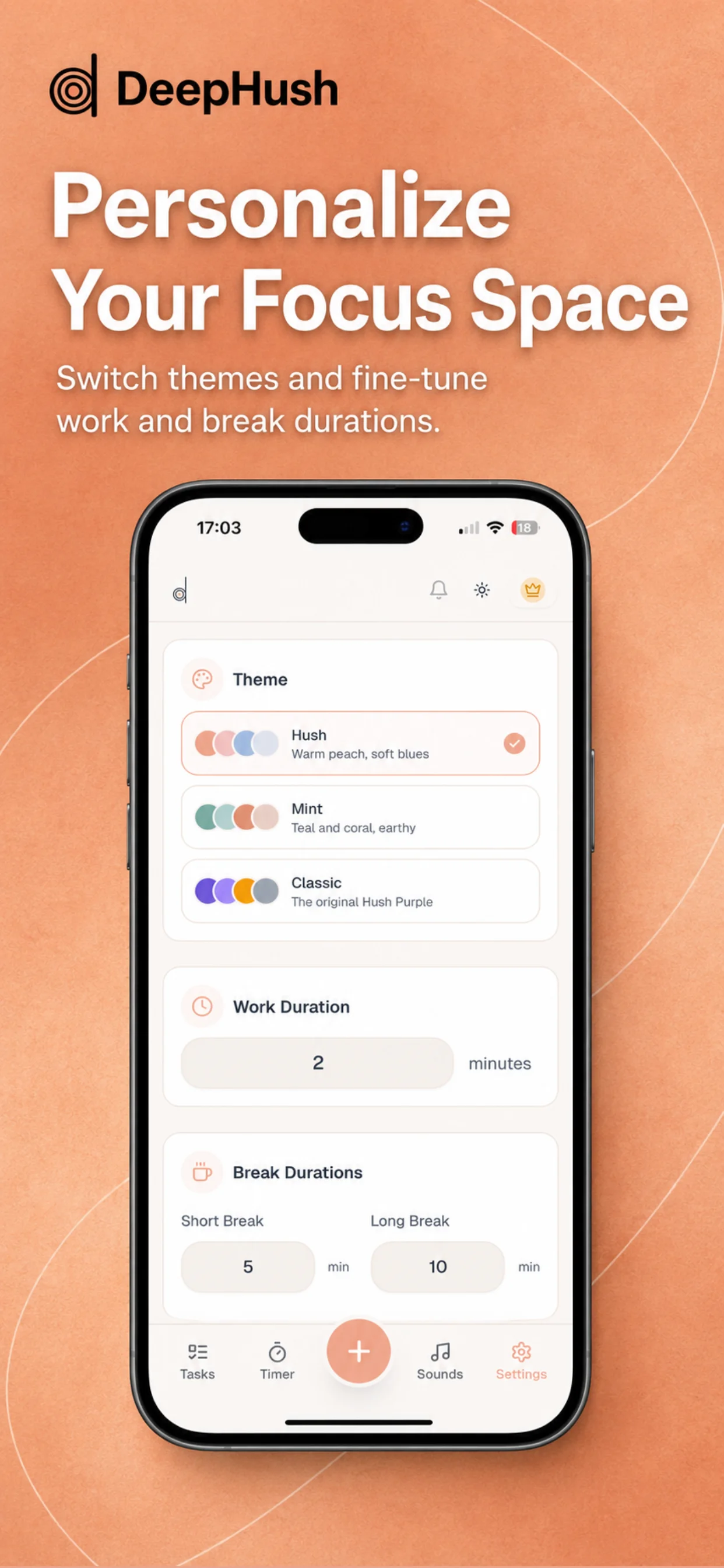
Switch between Hush, Mint, and Classic themes. Fine-tune work and break durations to match your rhythm.
Track your focus trend over time. See daily stats, session notes, and how your deep work habits are building up. Review 5, 14, 30, or 90 day trends at a glance.
Not just for work — use ambient sound mixes for falling asleep, meditation, or relaxation. Set a sleep timer and let the sounds fade out automatically.
From silence to deep focus in under a minute.
Choose from 50+ ambient sounds and layer them together. Brown noise + rain + fireplace? You got it. Save your favorite mixes to your library for instant access.
Add tasks to your focus queue for the day. Import from Jira or Azure DevOps, or create them manually. Drag to reorder by priority.
Hit play. The pomodoro timer counts down while your ambient sounds keep you in the zone. When the session ends, take a break. Then do it again.
Share lists with teammates or family. Get nudged when something needs your attention. See what everyone is working on in real-time.
From brown noise for deep focus to rain sounds for sleeping. Layer them your way.
DeepHush was built by someone who struggles to hold attention. Here's why it works.
Research shows that ambient noise, especially brown noise and white noise, can help people with attention difficulties filter out distractions. DeepHush lets you layer sounds until you find the exact mix that helps you focus. Many users combine brown noise with rain or nature sounds for deep work sessions.
When every task feels equally urgent, starting anything becomes impossible. DeepHush's pomodoro timer is connected to a task queue — you decide the order once, then the timer tells you exactly what to work on and for how long. No more staring at a list wondering where to begin.
Shared lists and nudge reminders from collaborators provide gentle external accountability. Your partner, teammate, or co-founder can send you a reminder about a task — sometimes that small nudge is all you need to get moving. It's built-in body doubling, without the awkwardness.
Start free. Upgrade when you need more.
Everything you need to get started
For power users who want it all
That's just $2.92 / month
or $4.99 billed monthly
Join thousands of people who use DeepHush to work deeper, collaborate better, and actually get things done.
No credit card required. Free forever plan available.